The Wednesday Afternoon Dilemma
It is Wednesday afternoon.
Sales just landed a rush purchase order for 2,500 collegiate fleece hoodies for an upcoming alumni weekend. The client loves the design, the blank garments are staged in the warehouse, and the embroidery machines are scheduled to run first thing Friday morning.
All that stands between you and production is one final step: uploading the artwork to the university’s licensing portal for approval.
You upload the vector file, submit the request, and check your watch.
Thursday afternoon brings the notification: REJECTED.
The note from the university trademark reviewer contains three words that halt production entirely: "Incorrect trademark designation."
The registration symbol (®) was placed next to the school name rather than beneath the athletic mascot mark, and the secondary text infringes on the logo’s mandatory 0.5-inch clear-space buffer.
The blank garments sit idle on pallets. The Friday production window vanishes. The client calls asking for tracking numbers, and your design team scrambles to fix an issue that could have been identified and resolved in thirty seconds before hitting "Submit."
In collegiate licensing, winning the license is only the first hurdle. The real operational battlefield is artwork approval.
The Multi-Portal Landscape: Where Do You Submit?
There is no single, centralized national clearinghouse for collegiate trademark submissions. Where and how you submit designs depends entirely on the licensing model each university employs.
Before you can submit a single file, you need active credentials for the specific platform governing each school.
Manages 700+ institutions (e.g., Texas, Michigan, Florida, Alabama)
Mid-sized universities, national fraternities, and sororities
Mid-major athletic conferences, regional colleges, and HBCUs
Specialized, high-touch programs (e.g., Columbia, Boston University)
Select major athletic institutions (e.g., Notre Dame, Oregon, Wisconsin)
In-house trademark offices (e.g., Harvard, MIT, Ohio State)
| Licensing Agency / Model | Primary Approval Portal | Platform Focus & Common Clients |
|---|---|---|
CLC (Collegiate Licensing Company)Enterprise Agency | Brand Manager 360 (BM360) | Manages 700+ institutions (e.g., Texas, Michigan, Florida, Alabama) |
Affinity LicensingGreek & Collegiate | Affinity Gateway | Mid-sized universities, national fraternities, and sororities |
Nexus Licensing GroupMid-Major & HBCU | BrandComply | Mid-major athletic conferences, regional colleges, and HBCUs |
Exemplar AssociatesHigh-Touch / Boutique | Workspace | Specialized, high-touch programs (e.g., Columbia, Boston University) |
Fanatics Licensing Management (FLM)Athletic Major | CAMPUS | Select major athletic institutions (e.g., Notre Dame, Oregon, Wisconsin) |
Independent ProgramsIn-House Program | Internal / Direct Review | In-house trademark offices (e.g., Harvard, MIT, Ohio State) |
Each platform enforces distinct file formats, resolution thresholds, and submission questionnaires. A workflow optimized for Brand Manager 360 will not translate directly to Affinity Gateway or an internal university submission form.
Pre-Submission: 6 Checks Before You Upload
Every rejected artwork submission restarts the review clock. At peak submission periods—such as July and August ahead of fall football, or February ahead of spring graduation—a single revision loop can cost your team 5 to 10 business days.
Before uploading any graphic asset, run it through these six non-negotiable checks:
1. Confirm License Scope & Product Category
Never assume that an approved apparel license permits headwear, drinkware, or hard goods. Review your active agreement to confirm:
- Is this specific product category authorized?
- Does the license cover the intended distribution channel (Retail vs. Internal Campus)?
- Is the item subject to exclusive category restrictions (e.g., an on-field uniform provider holding exclusive rights to performance gear)?
2. Use Only Master Vector Assets
Never recreate a university mark, trace a raster JPEG from a web search, or approximate typography:
- Download the official vector files (.AI, .EPS) directly from the licensing agency’s asset portal.
- Verify that you are using current-season marks. Schools routinely update mascots, crests, and secondary wordmarks. Using a retired mark results in an immediate rejection.
3. Verify School-Specific Brand Guidelines
Every institution publishes a detailed visual identity guide or brand manual. Prior to submission, confirm:
- Color Palettes: Are you utilizing the exact Pantone Matching System (PMS) swatches specified for that school?
- Contrast Rules: Is the mark placed on an approved background color? (e.g., Many schools forbid printing dark-tone marks on black or dark-grey garments without a white containment border.)
- Clear Space: Does the design respect the minimum isolation zone surrounding the mark?
4. Check Co-Branding & NIL Separation
If the design incorporates your company logo, an event sponsor, or a student-athlete's Name, Image, and Likeness (NIL):
- Ensure mandatory separation distances between the school mark and the third-party mark are maintained.
- Confirm whether the university requires a separate dual-branding agreement or written sponsor clearance.
- Verify that NIL assets comply with university-specific athlete compensation guidelines and do not display conflicting personal sponsor marks.
5. Build an Accurate, Production-Representative Mockup
University reviewers evaluate how the design will appear on the physical product, not just a standalone vector illustration:
- Present the artwork superimposed on the exact garment or product silhouette.
- Specify accurate imprint dimensions (e.g., "Full Chest: 11.5 inches wide") and placement locations (e.g., "Left Chest: 3.5 inches down from collar seam").
- Display multiple views (front, back, and sleeve/side) whenever the garment features secondary embellishments.
6. Confirm Factory and Embellisher Disclosures
Your licensing agreement mandates that every facility manufacturing or decorating licensed products be formally disclosed and approved:
- Check that the embellishment facility handling the print or embroidery run is registered and active in your portal profile.
- Confirm that the factory complies with applicable labor standards (e.g., FLA or WRC registrations).
Click any checkpoint to review mandatory quality standards before upload
Verify Scope
Is this product category authorized under your active contract?
Verification Standards:
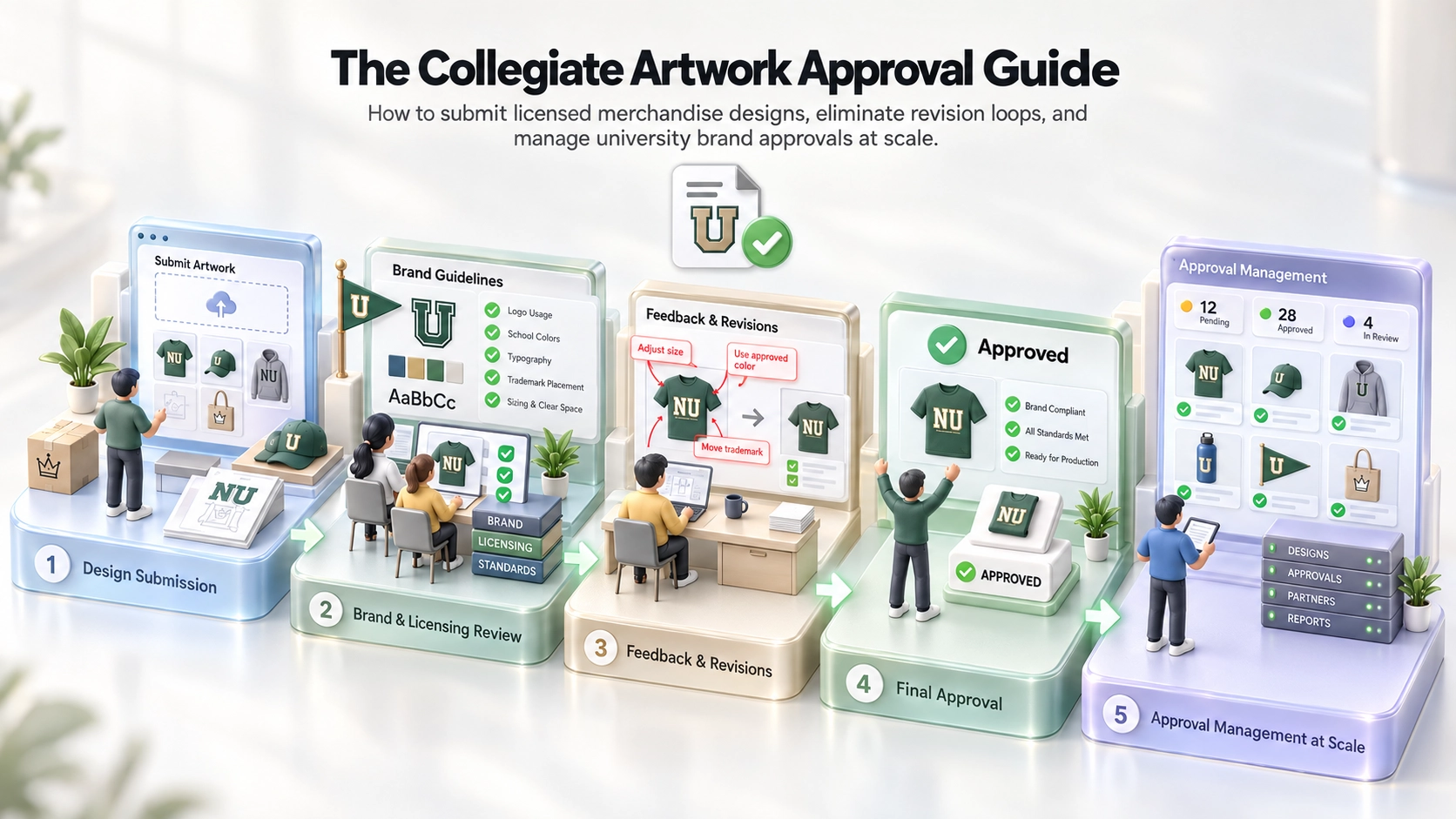
The Anatomy of an Artwork Approval Workflow
Understanding the stages of the review lifecycle helps teams anticipate timing and avoid unforced delays.
Track each operational milestone from initial artwork draft to finished retail production
1. Design Creation
Apparel Design Team
Master vector artwork & product silhouette mockup
Designers compose artwork using official vector assets, specifying Pantone color formulas and physical imprint dimensions.
1. Submission & Intake
The designer uploads high-resolution production art, product mockups, PMS color specifications, and production details (garment blank, print technique, target retail date) into the portal.
2. Agency Pre-Screening (Selected Portals)
In systems like Brand Manager 360, agency staff often conduct an initial administrative screening to verify file readability, active insurance documentation, and basic formatting before routing to the school.
3. University Trademark Review
The university trademark licensing director or their designated staff reviews the submission against institutional brand standards, commercial policies, and category exclusivity rules.
4. Disposition Notification
The reviewer assigns one of four statuses:
- Approved: The design may proceed directly to manufacturing.
- Approved with Conditions: Minor modifications are required before production (e.g., "Shift PMS 186 Red to PMS 200 Crimson before printing").
- Revise & Resubmit: Substantial brand conflicts exist; corrected files must be uploaded for a secondary review round.
- Rejected: The concept cannot be approved under any circumstances (e.g., unauthorized mark combination, prohibited product category, or inappropriate slogan).
5. Stamped Proof Archival
Once approved, the portal generates a digitally stamped approval document. This file must be archived internally as legal proof of authorization in the event of an audit or retail floor inspection.
Inside the Reviewer’s Mind: What Universities Look For
University trademark managers protect two of their institution’s most valuable assets: brand equity and institutional reputation. When they review your submission, they evaluate it through three distinct lenses:
1. Brand Integrity & Trademark Law
- Trademark Designations: Are the registered trademark symbols (®) and common-law marks (™) placed in the precise locations mandated by the style guide?
- Proportions & Distortions: Has the logo been scaled disproportionately, rotated, skewed, or placed on an unauthorized angle?
- Typography: Are approved university fonts utilized for secondary text, or has an unauthorized typeface been substituted?
Interactive visual comparison of acceptable vs rejected trademark designation treatments
Mandatory Baseline ® Designation
The registration symbol is rendered in the correct scale (approx 8–10% of wordmark height) and anchored directly to the bottom right baseline of the primary wordmark.
Approved — Mark legal designation meets university visual standards.
2. Commercial Appropriateness & Content Restrictions
Collegiate licensing policies strictly forbid associations with:
- Alcohol, tobacco, nicotine, or cannabis (unless the school holds a specific, regulated co-branding license).
- Gambling, firearms, weapons, or adult entertainment.
- Partisan political campaigns, candidate endorsements, or religious messaging.
- Derogatory, sexually suggestive, or offensive language and imagery.
3. Historical & Academic Mark Distinctions
- Athletic Marks vs. Academic Seals: Athletic marks (e.g., mascot heads, stylized letters) are intended for commercial merchandise. Academic seals, crests, and institutional wordmarks are reserved for formal academic documents, degree programs, and official university communications. Combining them in a casual merchandise design is a frequent cause of rejection.
- Vintage & Heritage Assets: If utilizing throwback logos or historic marks, verify that the school allows commercial licensing for that specific era. Some heritage marks remain restricted to exclusive university retrospectives.
The Most Common Reasons Artwork Gets Rejected
Understanding the most frequent failure points allows teams to correct errors during design creation rather than during production crunches:
Using retired mascots or discontinued fonts sourced from old project folders.
Pull fresh vector files from the agency’s digital asset manager for every season.
Printing a dark navy logo directly on a dark navy shirt with inadequate contrast.
Follow the university's approved contrast rules (e.g., placing white containment strokes).
Positioning a corporate brand or sponsor logo too close to the school's mark.
Maintain mandated separation distances; verify dual-branding agreements in advance.
Crowding the university crest with extra text, event dates, or design elements.
Adhere strictly to the clear-space margin defined in the school’s visual identity manual.
Submitting flat vector art floating on a white canvas without showing the garment.
Always submit graphics rendered on accurate product silhouette templates.
Selecting an unapproved garment blank or unlisted embroidery subcontractor.
Keep factory and supplier disclosures current in the portal before submission.
| Common Rejection Reason | Why It Happens | How to Avoid It |
|---|---|---|
| Outdated or Legacy Marks | Using retired mascots or discontinued fonts sourced from old project folders. | Pull fresh vector files from the agency’s digital asset manager for every season. |
| Color Clashes on Garment | Printing a dark navy logo directly on a dark navy shirt with inadequate contrast. | Follow the university's approved contrast rules (e.g., placing white containment strokes). |
| Unapproved Co-Branding | Positioning a corporate brand or sponsor logo too close to the school's mark. | Maintain mandated separation distances; verify dual-branding agreements in advance. |
| Missing Minimum Clear Space | Crowding the university crest with extra text, event dates, or design elements. | Adhere strictly to the clear-space margin defined in the school’s visual identity manual. |
| Inaccurate Mockups | Submitting flat vector art floating on a white canvas without showing the garment. | Always submit graphics rendered on accurate product silhouette templates. |
| Undisclosed Blank / Facility | Selecting an unapproved garment blank or unlisted embroidery subcontractor. | Keep factory and supplier disclosures current in the portal before submission. |
Navigating "Approved with Conditions" & the "Slight Variation" Trap
Receiving an "Approved with Conditions" status is a relief, but it presents serious operational risks if mishandled.
When a reviewer approves with conditions, they are stating: You may produce this item ONLY IF you execute the specified change before printing.
Common conditions include:
- "Approved provided the trademark symbol (®) is rendered in white rather than red."
- "Approved for adult fleece only; do not apply this graphic to youth apparel."
- "Approved on navy and white garments only; grey heather is denied due to contrast."
If your production team routes the original file to the factory without executing the pre-press change, you have produced counterfeit merchandise. In an audit, the school’s stamped approval document will contradict the physical garment on retail shelves.
The "Slight Variation" Trap
A related operational pitfall occurs when a client requests a minor modification to an already-approved design:
- "Can we change the ink color to metallic gold for the playoff game?"
- "Can we run this same graphic on a dad hat instead of a hoodie?"
- "Can we swap the primary text from 'ALUMNI' to 'BASKETBALL'?"
In the eyes of trademark law and collegiate licensing agreements, there is no such thing as an informal "slight variation."
Every change in garment silhouette, embellishment technique, graphic element, or colorway represents a new SKU requiring formal portal submission and independent approval. Manufacturing a modified version under the previous approval code is a direct contract violation.
Managing Artwork Approvals Across Dozens of Schools
Operating a single university license is straightforward. Managing approvals across thirty, fifty, or one hundred institutions simultaneously creates immense operational friction.
A seasonal collection featuring 10 apparel silhouettes across 40 universities represents 400 unique artwork submissions—each subject to distinct color palettes, clear-space parameters, portal interfaces, and reviewer turnaround schedules.
Inspect routing logic and portal workflows across divergent university management systems
CLC / Learfield
Brand Manager 360 (BM360)
Agency pre-screeners verify active COI and labor disclosures prior to releasing files to university trademark staff.
3–7 Business Days
Texas, Michigan, Florida, Alabama, Georgia, FSU
How High-Performing Licensees Scale Artwork Approvals:
- Establish a Centralized Pre-Flight Audit: Build an internal quality-assurance gate between your design team and the portal upload. Ensuring a non-designer reviews each submission against the school’s visual guide catches basic PMS errors and missing ® marks before submission.
- Standardize Mockup Templates: Use standardized front, back, and detail mockup templates with locked scale ratios so reviewers can assess sizing immediately without requesting clarification.
- Centralize Approval Certificates: Maintain an internal digital archive that links the portal approval code, stamped PDF proof, and final production art to the specific SKU in your ERP system.
- Separate Production Releases from Concept Exploration: Never submit preliminary sketches or half-baked ideas to licensing portals. University reviewers prioritize production-ready submissions from active licensees; inundating them with speculative concepts damages your operational reputation and slows down critical approvals.
Pre-Flight Artwork Submission Checklist
Pre-Flight Artwork Submission Checklist
Run every design through this checklist before hitting "Submit" in any licensing portal:
Confirm that the product category and target sales channel are authorized in your license agreement.
Verify that the blank style and embellishment facility are approved under active supply-chain disclosures.
Ensure the graphic was constructed using master vector assets directly from the authorized portal library.
Verify that all ink, thread, and fabric colors match the university’s approved palette.
Check that the ® or ™ symbol is positioned correctly and remains legible at final production scale.
Confirm that background art, typography, or bordering lines do not infringe on minimum logo clearance zones.
Verify that athletic marks are not mixed inappropriately with academic seals, formal crests, or unvetted NIL assets.
Provide front, back, and detail views of the artwork rendered on the correct product silhouette.
If marked Approved with Conditions, ensure pre-press revisions are executed before production runs.
Establish a designated internal archive location for the stamped approval certificate once issued.
Ready to Streamline Your Collegiate Artwork Approvals?
Alpha Dezine helps brands eliminate costly revision cycles, organize asset libraries, and scale production workflows across multiple collegiate programs.
Disclaimer: This guide is provided for educational purposes only and does not constitute formal legal, trademark, or licensing counsel. Artwork approval requirements, brand guidelines, and submission protocols differ by university, agency, and agreement. Always refer to your signed licensing contract and the institution's official brand manual for governing policies. Alpha Dezine's pre-submission review services do not replace formal review or official approval by an authorized trademark representative.