Claris FileMaker API Integration for a Sales Rep Portal
How Alpha Dezine Built a Custom FileMaker Middleware Integration to Centralize Access to Sales Data and Support Reorders
Overview: "Can you pull up our last order?"
Sales representatives need one place to quickly find past orders, products, approved designs, and sales assets without waiting on other teams.
The Fragmented Workflow
The client relied on Claris FileMaker to manage customer and order data, while product details, approved artwork, and marketing assets were spread across multiple sources. Sales representatives often had to search different systems or contact internal teams before responding to customers.
The Unified Solution
To simplify access, Alpha Dezine developed a web-based Sales Rep Portal connected to FileMaker through the Claris FileMaker Data API. A secure middleware layer delivers customer history, product information, and approved assets through one centralized interface.
The Challenge: Fragmented Data
The company had invested in Claris FileMaker as a core business database, but the information sales representatives needed was not always easy to locate or access. Preparing for customer meetings or supporting repeat orders required gathering information from isolated places.
Scattered Information
Sales representatives frequently had to hunt down vital data across disconnected systems, shared folders, and email threads:
Response Delays
Manual information requests and repetitive email communication drastically increased the time required to respond to customers.
Missed Opportunities
Limited visibility into available customer history made identifying potential reorder opportunities incredibly difficult.
The Solution: A Sales Portal powered by FileMaker data
Instead of replacing FileMaker, Alpha Dezine built a secure middleware layer that connects a modern Sales Rep Portal to existing business data through the Claris FileMaker Data API.
Centralized Sales Portal
Secure access to customer orders, previous orders, product information, and key identifiers
Sales Resources
Access approved proofs, artwork, customer-specific designs, and marketing collateral in one place
Protects Existing Systems
Extends FileMaker without changing existing workflows, preserving business processes and long-term investments
Claris Filemaker Database
Orders . Products . Artwork . Assets
Secure Middleware
Authentication . API Processing Access Control
Sales Rep Portal
Web Application
Sales Representatives
Access information in real time
Key Features of the Sales Portal
Explore the specialized features engineered into the Sales Rep Portal to replace manual FileMaker lookups with instant consumer-grade web experiences.
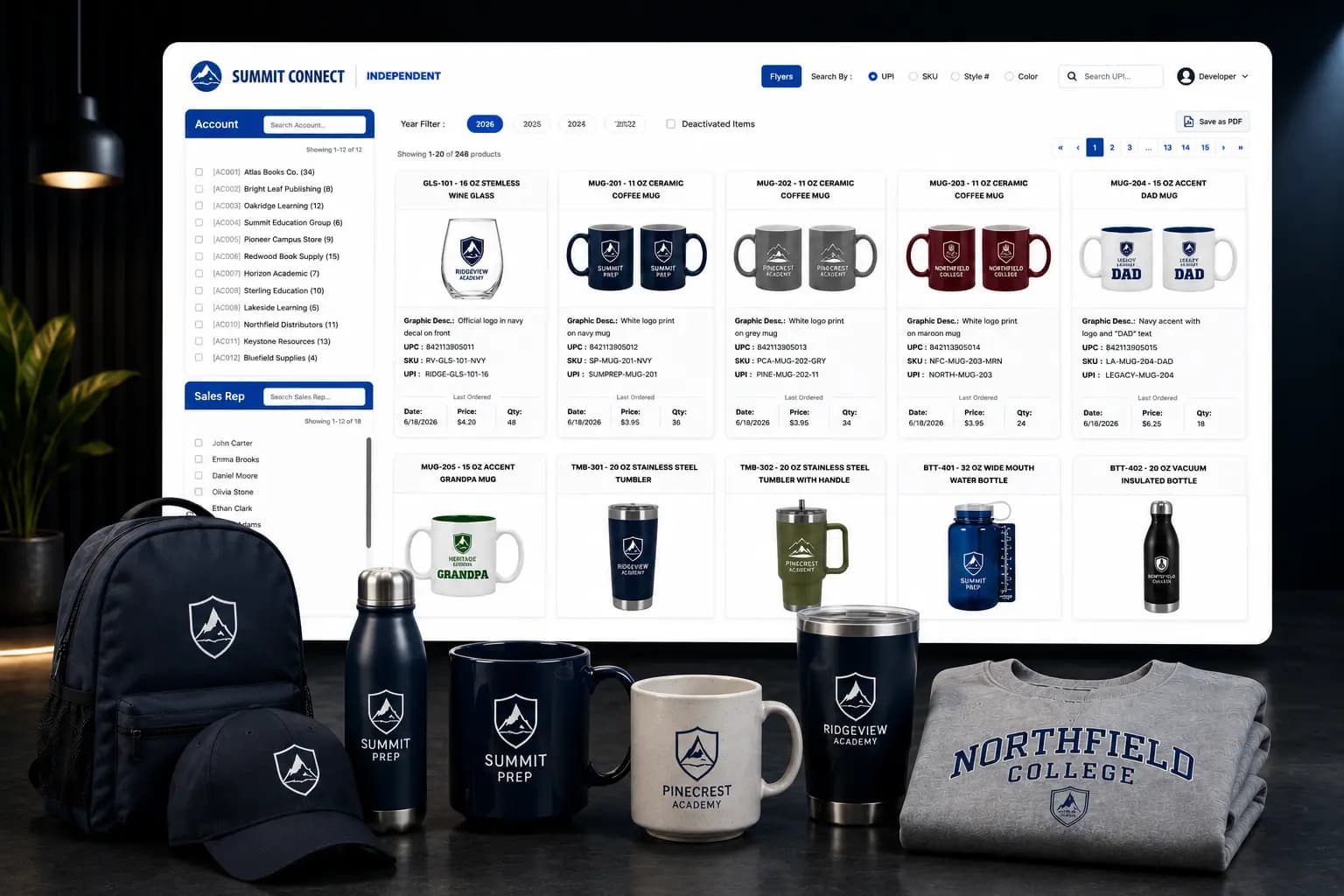
Sales representatives can view customer purchase history, previously ordered products, quantities, approved artwork, proofs, and related order details from a single dashboard. This centralized view eliminates the need to search across multiple systems or rely on internal teams, enabling faster customer support and reorders.
Representatives can quickly locate products and customer orders using SKU, UPC, customer name, order number, product name, and other identifiers. Flexible search capabilities reduce the time spent on manual lookups and make it easier to retrieve the right information, enabling faster responses and more efficient customer support.
Where approved proofs and artwork are associated with customer or order records, representatives can access those materials alongside the corresponding order information. Providing access to previously approved creative assets can help teams prepare repeat orders and determine whether existing artwork may be suitable for reuse. All artwork reuse remains subject to the client’s approval, licensing, and version-control requirements.
The portal provides sales representatives with instant access to historical purchase records, including previously ordered products, quantities, and order details. Having this information in one place helps them understand customer buying history, prepare for conversations, and identify potential reorder opportunities. With faster access to relevant data, representatives can respond more efficiently and deliver a better customer experience.
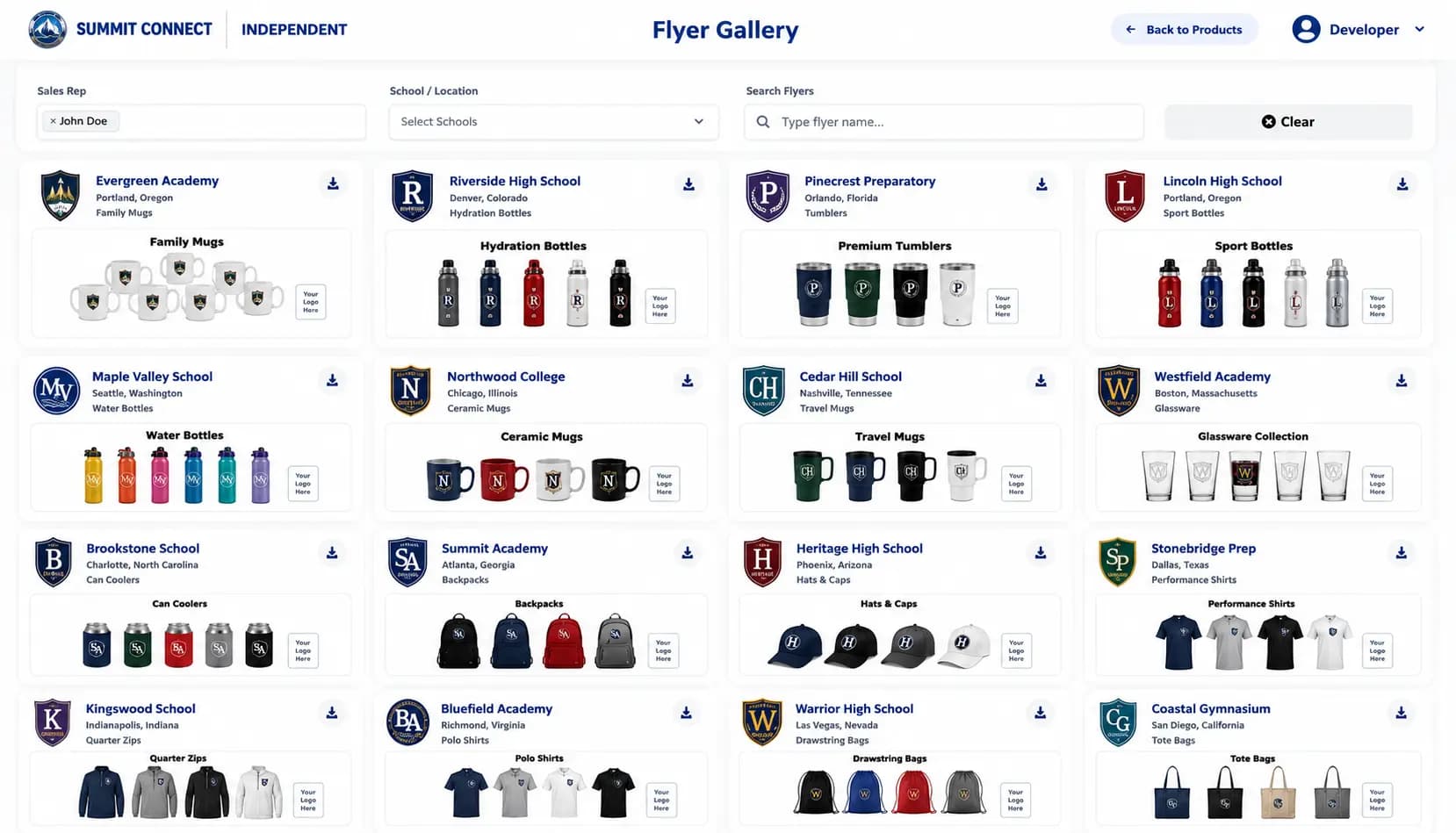
The portal includes tools that allow representatives to create customer-specific marketing flyers using selected product information. This self-service capability can reduce the need to request routine flyer creation from the design team while helping representatives prepare more relevant sales materials. Generated materials remain subject to the client’s branding, content-approval, and artwork-licensing policies.
Approved marketing flyers, promotional materials, and customer-related assets can be organized in a searchable location. This makes it easier for authorized representatives to find and reuse existing resources when preparing for customer outreach.
Operational Benefits
By integrating Claris FileMaker with a custom middleware portal, Alpha Dezine transformed disconnected business data into a centralized sales platform.
Instant Data Access
Faster access to available customer and order information directly from the portal.
Team Autonomy
Reduced dependency on internal teams for routine information requests.
Meeting Readiness
More efficient preparation for customer conversations.
Historical Insight
Improved visibility into historical purchases and customer activity.
Reorder Discovery
Easier identification of potential reorder opportunities.
Asset Management
More organized access to artwork, proofs, and marketing assets.
Workflow Consistency
More consistent sales workflows across the entire team.
Why Choose Middleware Instead of Replacing FileMaker?
Replacing an established business system is not always necessary to provide users with a modern interface or improved access to existing data. When the underlying FileMaker database continues to meet the organization’s core requirements, a middleware integration can extend its functionality without the immediate disruption of a full system migration.
A middleware strategy is not appropriate for every organization. Its suitability depends on the condition of the existing database, security requirements, expected usage, integration complexity, maintenance needs, and long-term technology plans. For this project, the integration approach provided a practical way to improve access to existing business information while preserving established FileMaker workflows.
Key Advantages of this Approach:
- Continue using FileMaker as a core business system without massive migration risk.
- Extend access to existing FileMaker data instantly.
- Provide representatives with a modern web-based experience.
- Support controlled access through server-side authentication and permissions.
- Add new portal functionality incrementally.
- Avoid an immediate database replacement and preserve IT investment.
More case studies
All case studies

Ready to Modernize Your FileMaker Solution?
Modernize your FileMaker environment with custom APIs, middleware, and web portals. Connect systems, improve data access, and extend existing applications without replacing FileMaker.



© 2026 Alpha Dezine. All Rights Reserved.
