From Manual Print Orders to Connected Production Workflows.
See how Alpha Dezine connects Claris FileMaker with HP Site Flow to automate purchase order handoffs, organize production artwork, and bring order status and shipping updates back into one connected workflow.
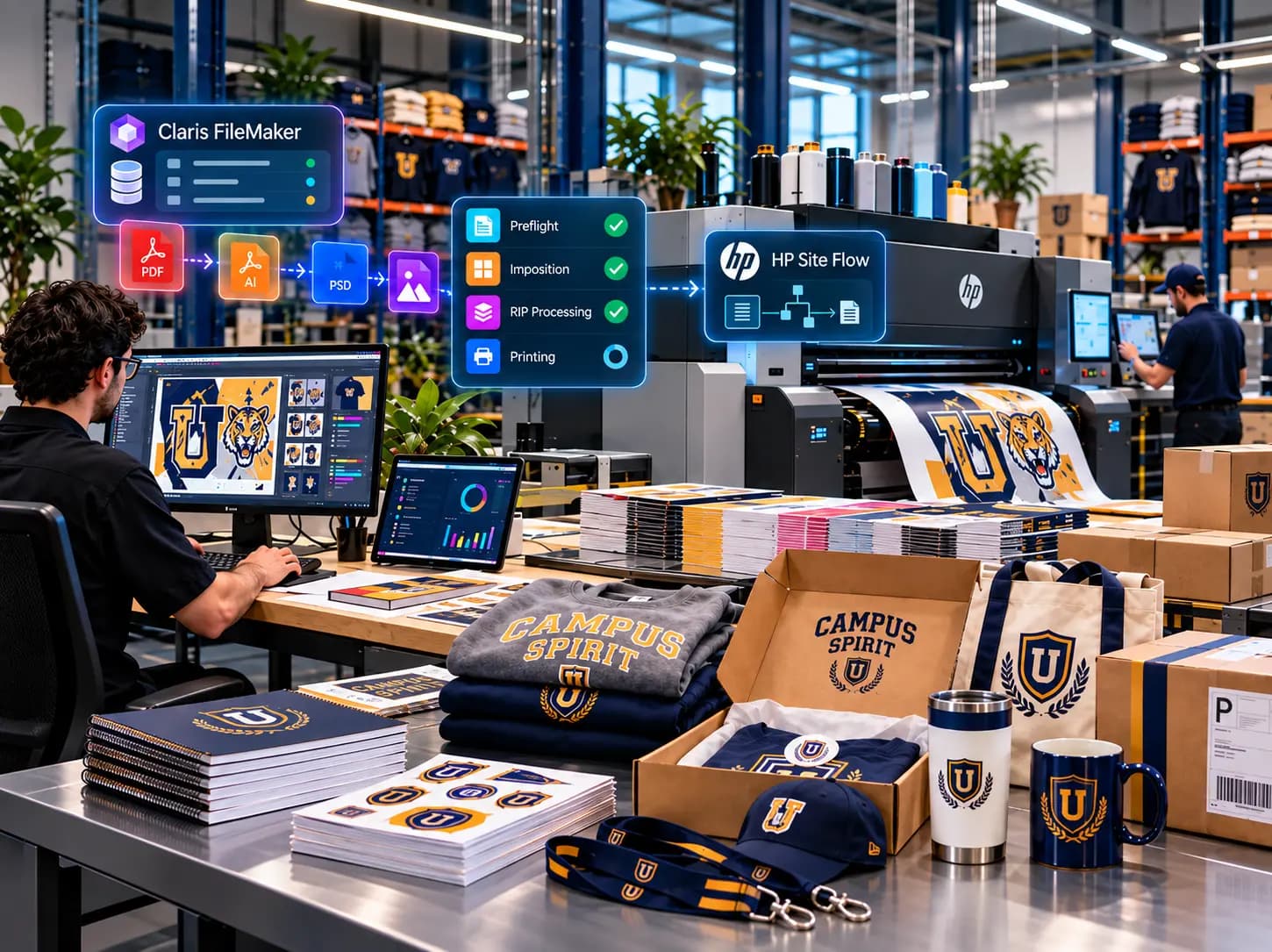
Managing print orders across separate systems can involve significant manual work. A single purchase order may include multiple products, SKUs, quantities, shipping details, and different artwork requirements, making it easy to select the wrong file, miss a component, or enter information inconsistently. Recreating these orders in a production system also slows down the handoff from business operations to production.
To solve this, a middleware integration connects Claris FileMaker with HP Site Flow, automatically organizing order data and artwork based on each product’s production requirements. The integration sends the prepared order to HP Site Flow and brings production and shipping updates back into FileMaker, creating a more connected workflow with less repetitive handling and better visibility.
How the FileMaker to HP Site Flow Integration Works
The workflow begins with the purchase order already being managed in Claris FileMaker.
FileMaker remains the central location for order information. The integration uses the data that already exists there rather than asking users to maintain another version of the same order.
Relevant information can include the customer, order number, product lines, SKUs, quantities, shipping details, and the artwork associated with each product.
When the order is ready for production, the middleware retrieves this information and begins preparing it for HP Site Flow.
A Practical Example
A seamless workflow that connects FileMaker and HP Site Flow without rebuilding the order manually.
FileMaker
Purchase order created
Middleware
Order + artwork
Product Rules
Match artwork & components
Validation
Files + quantities
HP Site Flow
Production starts
FileMaker
Status updates
Shipment
Tracking connected
FileMaker
Purchase order created
Middleware
Order + artwork
Product Rules
Match artwork & components
Validation
Files + quantities
HP Site Flow
Production starts
FileMaker
Status updates
Shipment
Tracking connected
Key Outcomes
Less Manual Order Entry
Fewer Artwork Errors
Fewer Production Corrections
Fewer Incomplete Submissions
Fewer Manual Status Checks
More case studies
All case studies

Ready to Connect Your Print Production Workflows?
From purchase order processing and artwork management to production updates and shipment tracking, Alpha Dezine helps businesses connect their existing systems and reduce manual handoffs.




© 2026 Alpha Dezine. All Rights Reserved.
